


Update
September 9, 2026 · 3 min read
Feature shipped August 9, 2026
Reference Video: Show Zonic the Creative Context You Mean
By Zonic Team
Archive note: Reference video first shipped on August 9, 2026 and expanded into agent context on August 20. We added this retrospective release note in September 2026.
Some creative direction is easier to show
An editor can spend a long time describing a feeling that is obvious in an example: how quickly a story establishes its location, how interview answers alternate with observational footage, or how a highlight builds toward a final beat.
Zonic's reference-video workflow lets the expert provide that example as context.
The distinction is simple but important:
- Sources are the footage, images, and audio available for the new edit.
- References guide how Zonic should reason about that material, but are not selected as clips for the new sequence.
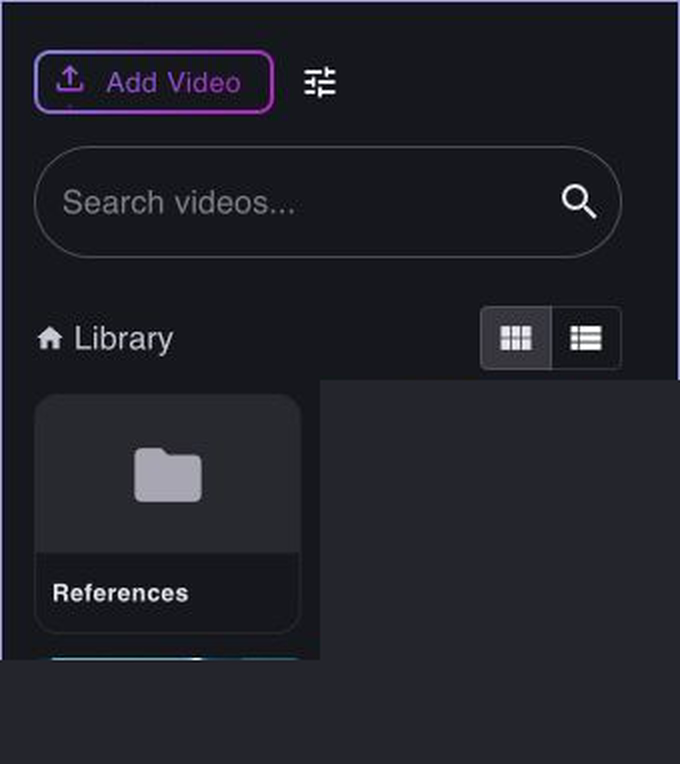
The References area in Zonic's Library keeps creative context separate from editable media.
From “make it like this” to usable evidence
When a reference video is attached, Zonic can use its analyzed scenes and summary as part of the editing conversation. The expert can then be specific about what should transfer:
- the order in which information is introduced;
- the balance between speech and visual evidence;
- the rhythm of a particular section;
- the type of moment used as an opening or ending;
- or the relationship between a main camera and supporting coverage.
The reference does not replace a brief. It makes the brief more grounded. “Use the reference's venue-to-speaker progression, but keep our interview answers longer” is more useful than either a vague imitation request or a rigid style preset.
This is also why reference footage belongs inside the video-intelligence layer rather than as a thumbnail beside a prompt. The agent needs time-based evidence: what happens, when it happens, and how the example is organized.
Guidance, not copying
Reference video is not pixel-level style transfer. It does not grant rights to another creator's material, and Zonic does not insert the reference into the output simply because it was attached.
The purpose is to help an expert communicate intent. The editor remains responsible for the brief, rights, and final judgment; Zonic uses the reference to reason more precisely about the footage that actually belongs to the project.
This interaction points toward a broader ambition for expert AI: accept knowledge in the form professionals naturally have it. Sometimes that is a written instruction. Sometimes it is a correction. Sometimes it is a finished example with a structure worth studying.
Read next: how Skill Studio makes working methods reusable and how the dockable workspace keeps evidence and decisions visible together.