

Release
September 9, 2026 · 4 min read
Feature shipped August 18, 2026
A Dockable Video Workspace for Expert–AI Collaboration
By Zonic Team
Archive note: Zonic's dockable workspace reached this milestone on August 18, 2026, following layout work shipped across August 14–18. We added this retrospective release note in September 2026.
Chat is part of the workspace, not the whole workspace
Video work is spatial. Editors compare footage, transcripts, a program monitor, timelines, notes, and delivery controls at the same time. Compressing that work into a single chat column hides the evidence exactly when judgment is required.
Zonic's dockable workspace lets the expert arrange the important surfaces together. Panels can be tabbed, split, resized, or floated inside the application. Named workspace arrangements can be saved and switched as the job changes.
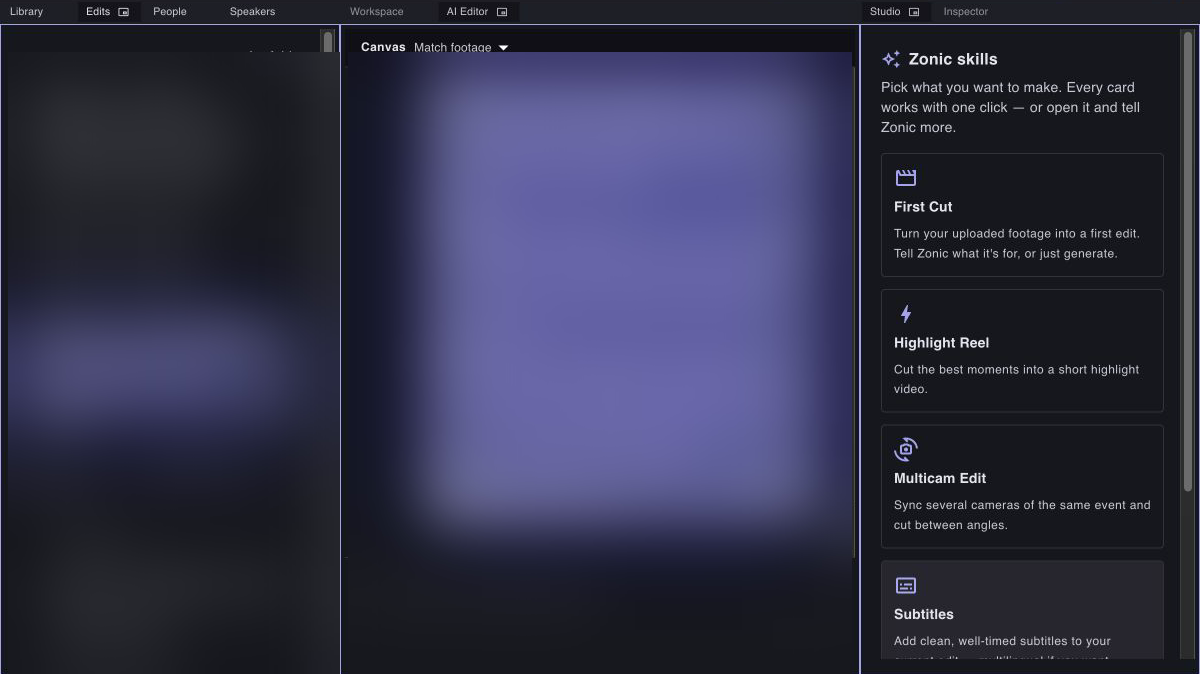
A three-panel Zonic workspace: project media and versions on the left, the AI Editor in the center, and Skill Studio on the right.
Different arrangements for different decisions
There is no universally correct layout for editing. The useful arrangement depends on the moment.
During ingest and discovery, the Library and Inspector may deserve more room. While building a first cut, an expert may keep the AI Editor beside the sequence and preview. During review, the viewer and timeline become more important. When choosing a repeatable workflow, Skill Studio can remain visible beside the conversation.
The August workspace release added the foundations for those changes:
- docked tabs and panel splits;
- edge-based layout presets;
- named user workspaces;
- and in-app floating panels for temporary focus.
This is a browser-based Zonic workspace, not a claim that every Premiere Pro panel or plugin runs inside it. The goal is to bring Zonic's own intelligence surfaces into a professional working grammar that editors already understand.
Keeping the reasoning inspectable
Docking is more than interface polish. It changes the quality of expert–AI interaction.
When footage evidence, the current sequence, and the AI conversation are visible together, an editor can ask better questions and catch bad assumptions earlier. A recommendation can be checked against the source. A sequence change can be reviewed without losing the brief. A skill can be chosen while the project context remains in view.
That matters because Zonic is not designed to make the expert disappear. The system should handle retrieval, comparison, sequence operations, and repetitive production work at machine scale. The expert should retain the context needed to judge why a choice belongs in the story.
The workspace is where those responsibilities meet.
An interface that can grow with the intelligence
As Zonic learns to understand more media types and support more editing operations, a fixed page would become a constraint. A panel system gives new capabilities a place without forcing every workflow into one crowded screen.
It also supports the two speeds of creative work: focused moments when one surface should dominate, and comparative moments when several kinds of evidence must stay visible. That flexibility will matter increasingly as expert teams bring their own skills, review practices, and output requirements into Zonic.
Read next: how one Zonic sequence becomes a preview, render, and professional handoff, or read the company update behind the expert–AI direction.