

Release
November 3, 2026 · 6 min read
Feature shipped October 22, 2026
Zonic Launches Streaming and Real-Time Editing for Studios
By Zonic Team
On October 22, 2026, Zonic Tech (縱藝科技) launched streaming and real-time editing for studios in Zonic, its AI video editing system, at a hands-on workshop at t.Hub in Taipei. Cameras, encoders and phones stream into a Zonic project on a computer at the venue. Zonic analyses the footage while it is still recording, so a producer can ask for a cut, review it and render it before the shoot ends. The finished sequence opens in Premiere Pro, DaVinci Resolve or CapCut.
This post is the recap of that launch.
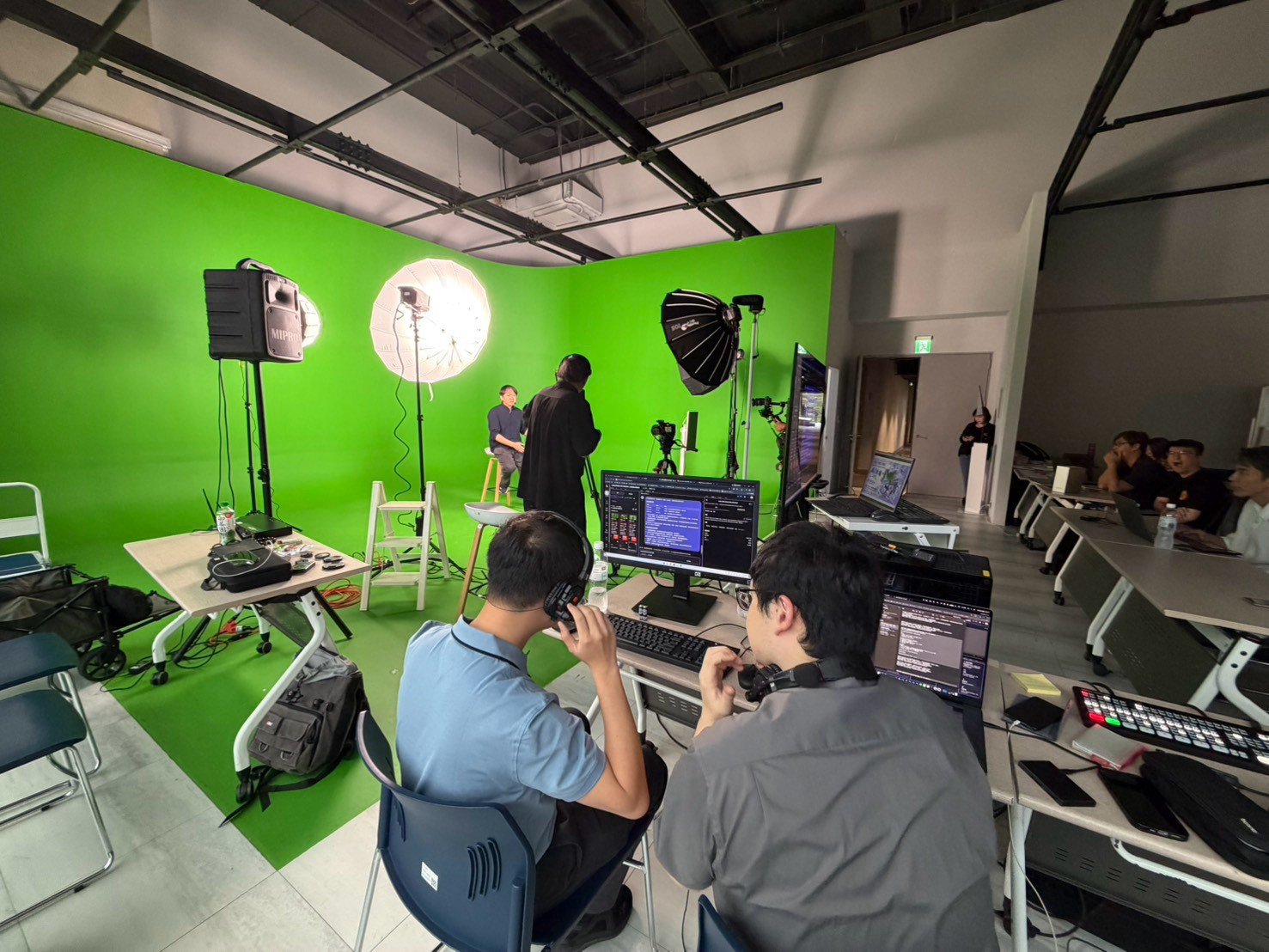
The control desk at t.Hub on October 22. Every camera on the set recorded into one Zonic project.
The workshop at t.Hub
Zonic Tech organized 「AI片場—即拍即剪 影音新製程」 (AI on set: shoot and cut at the same time), a hands-on workshop held from 14:00 to 17:00 on October 22 at t.Hub (內科育成中心) in Neihu, Taipei. Array Effect (陣列效應) co-hosted.
The workshop was for studio operators, production companies and businesses that shoot their own video. Tony Tong, CEO of Zonic, and Alis Feng, CPO of Zonic and founder of Array Effect, presented. The team ran three live demos in t.Hub's large studio, one for each part of the new workflow. Guests brought their own laptops and tried Zonic on site with trial credits.
Demo 1: Streaming, shooting and editing at the same time
Zonic takes the camera feeds of a live set as they are recorded:
- A camera or a switcher output through an HDMI capture card. Several cameras can record into the same project at once.
- A stream pushed over RTMP or SRT from OBS, a hardware encoder, a streaming camera or a phone app, on the venue's network. Zonic can also pull an RTSP camera. A short Wi-Fi dropout does not end the recording.
Every recording is analysed while it is still coming in. Transcripts and scene descriptions build up as the recording grows, so the first part of a shoot can be searched and edited while the rest is still being recorded.
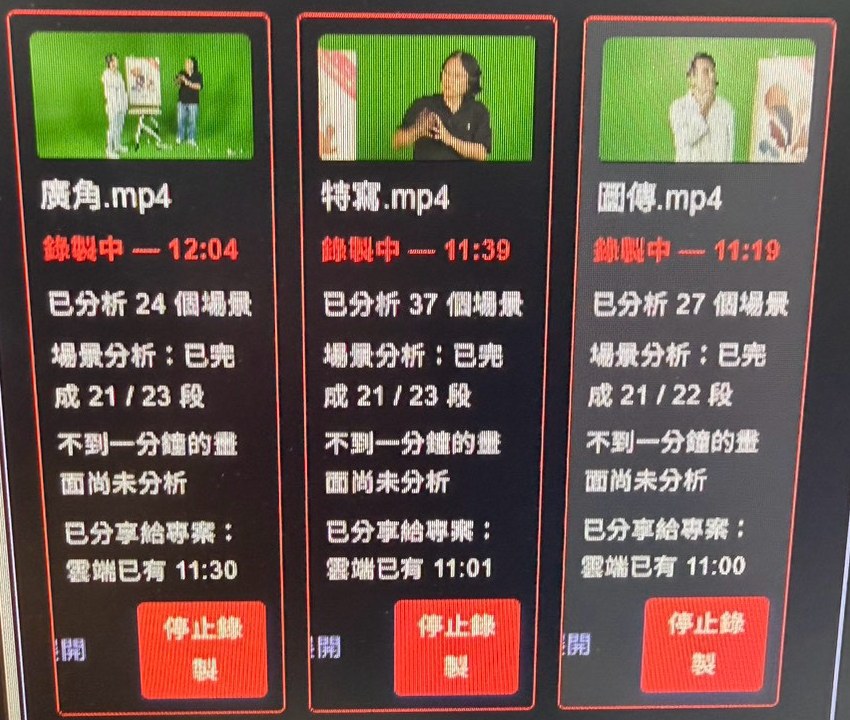
Twelve minutes into one demo. All three cameras are still recording, 21 of each camera's 22 or 23 segments are analysed, and only the last minute of footage is waiting.
We measured the same workflow on the morning of the event, replaying three camera recordings from an earlier session at real time. About 90 seconds in, a second team member asked Dekiru, Zonic's editing agent, for a cut. Dekiru saw all three cameras, with the first 60 seconds already analysed, and committed a 22-second three-camera sequence. Three renders started while the cameras kept recording took between 2.4 and 7.8 seconds each. Analysis of all three cameras caught up 24 seconds after Stop.
Demo 2: Quick cut, cameras in sync and subtitles in several languages
A live event is rarely shot from one angle. A wide shot holds the room, a close-up holds the speaker, and a third camera follows the action. Each camera keeps its own clock, so before anyone can cut between them the angles have to line up.
Zonic lines up the cameras by their sound. Dekiru finds where the same audio appears in each recording and places every angle on one timeline, so the editor sees cuts between angles instead of three separate files.
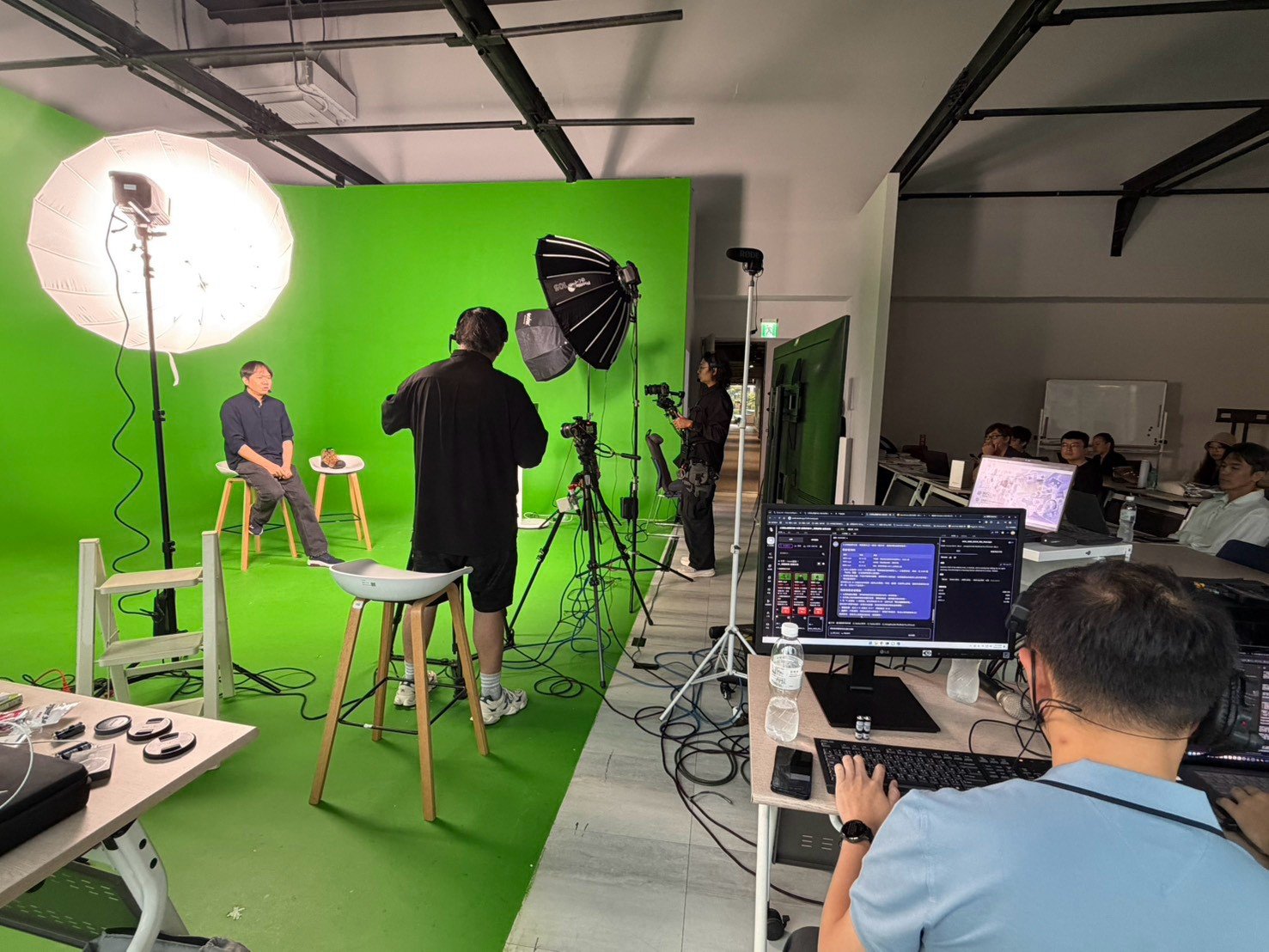
An interview recorded by several cameras at once. Zonic placed every angle on one timeline by its sound.
Subtitles come from the same transcript. Zonic translates it into the languages you need and exports one subtitle file per language, or a bilingual one.
Demo 3: Collaboration, quotes picked by AI and one project for the team
A studio is not one person at one screen. The operator runs the cameras, a producer decides what the story is, and a client wants to see a cut before they leave.
Dekiru reads the whole interview and picks the strongest quotes for a highlight cut, so the producer starts from a shortlist instead of the full recording. The whole team works in the same project: one person asks Dekiru for a recap while another reviews the last version, and every version stays in the project's history. A share link lets someone outside the team watch a cut without an account.
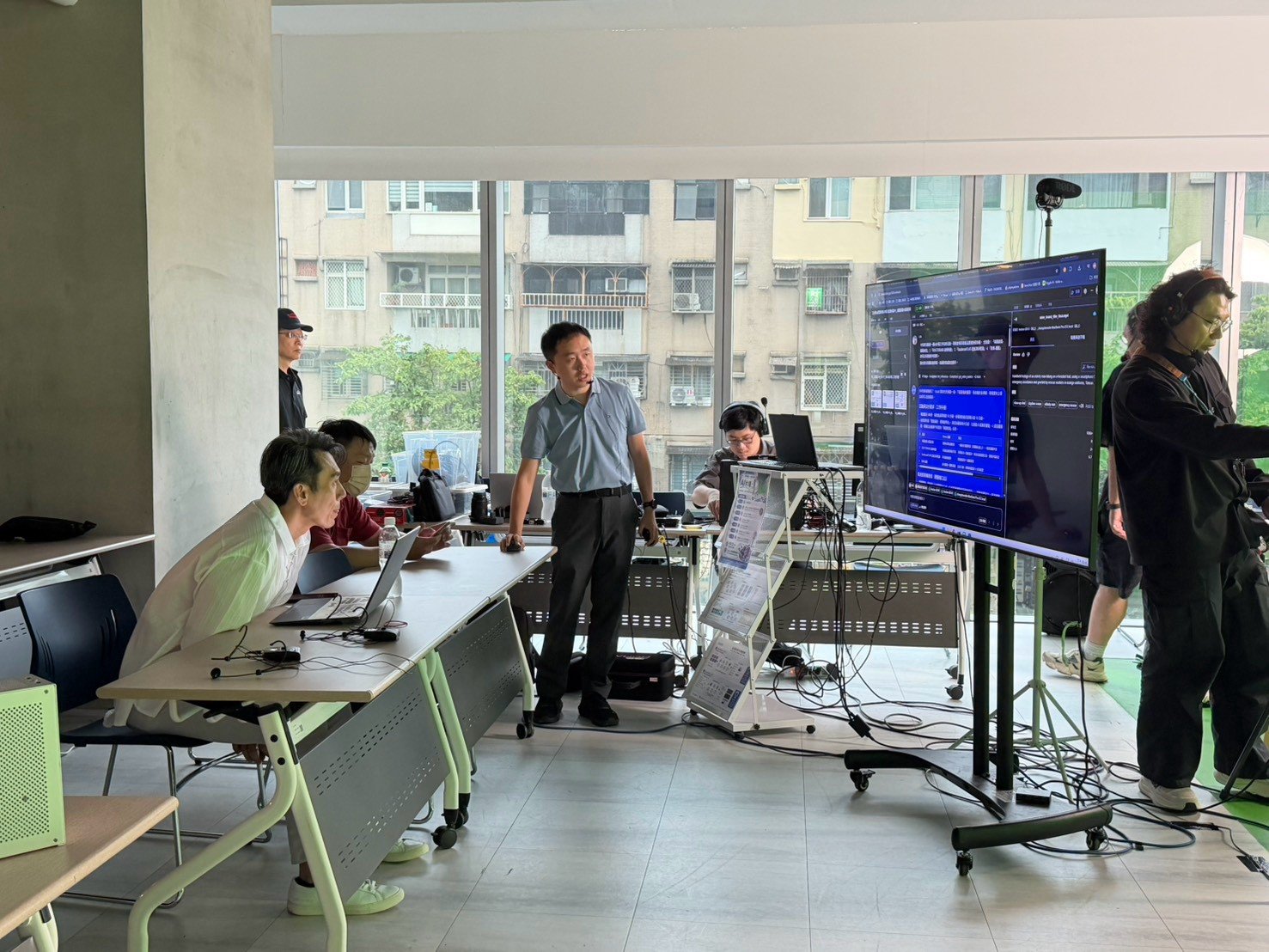
Walking guests through a Dekiru conversation on the big screen.
What the event taught us
A live room finds what a rehearsal does not, and we would rather say so here than leave it for a customer to find.
Two problems showed up in the event recordings. First, browser recordings let the picture fall behind the sound by about one second every 20 minutes, because the microphone delivers slightly more audio than its timestamps say. Second, the alignment tool turned down clear matches on the close-up camera, so the agent fell back to a rougher guess and the angles were off by 0.1 to 0.2 seconds.
Both are fixed for recordings made with the desktop app released on October 27. On the event's own 25-minute close-up recording, sound and picture now stay within 11 milliseconds of each other, down from about 600. Replaying the event's alignment requests, the tool still makes the same four confident matches and now also reports 12 weaker ones. When a match is weak, it tells Dekiru so.
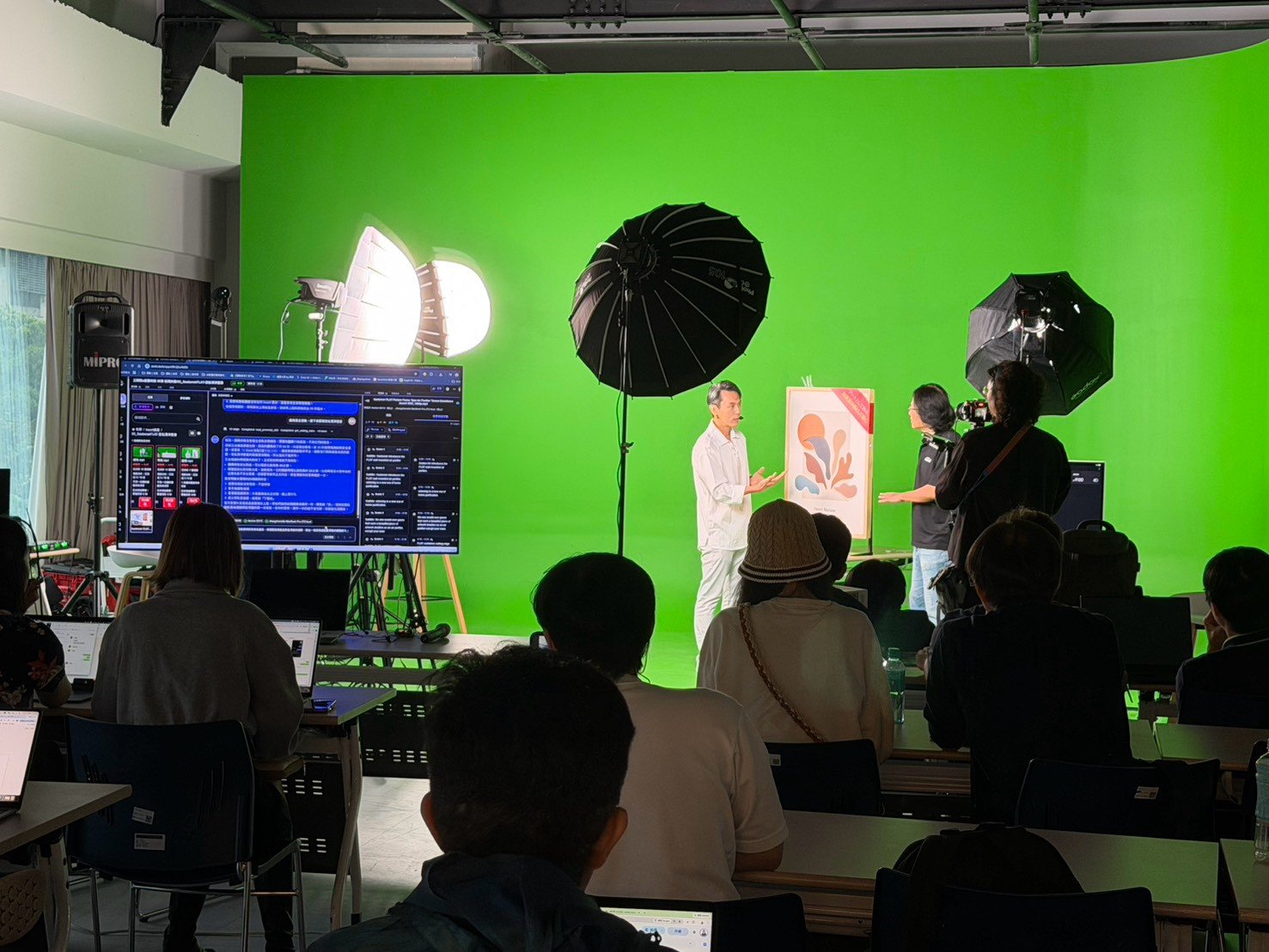
A product shoot for the demos. The screen on the left shows the same project in Zonic.
What a studio setup looks like
- A computer at the venue running the Zonic desktop app. It saves every recording and analyses it as it arrives.
- Cameras through an HDMI capture card, or streamed over RTMP or SRT from OBS, a hardware encoder or a streaming camera on the same network.
- Phones streaming over RTMP or SRT from a streaming app on the same network.
- Producers and clients prompting, reviewing and sharing cuts from their own laptops or phones.
Finished sequences go to Premiere Pro, DaVinci Resolve or CapCut, so the editor can finish the piece in the tool they already use.
Bring it to your studio
Studios that want to shoot and cut on the same day can start with a conversation. Contact Zonic with the button below, tell us about your set and your cameras, and we will reach out.
About Zonic Tech
Zonic Tech (縱藝科技有限公司) is the Taipei company behind Zonic. Zonic records and uploads footage, turns it into searchable understanding, and builds editable sequences that editors finish in Premiere Pro, DaVinci Resolve or CapCut.
Read next: how Zonic merges multiple sources, or see why we describe Zonic as an expert–AI video-intelligence company.
Talk to the Zonic team
Tell us about your footage, your studio or your workflow. We will reach out within 24 hours.